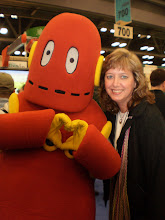
There are so many cool technology tools you can use in every lesson taught. Through this course, I made myself go into Flickr. That is something I had never used, but can see the benefits of using it! All the projects - scrapbooks you can make with all the pictures!
The one new tool I am experimenting with right now is Glogster! I think this is a tool that many teachers can use with their classes to cover a unit - by writing information about the unit, what they learned and connecting it to other sites to further their understanding and learning.
I am starting a new online college course next week and I look forward to the many new things my professor will show me. Last Spring, she introduced so many new tools to be used on the computer!
Thursday, August 26, 2010

Wednesday, August 25, 2010
Thing 6 - YouTube
I love YouTube and TeacherTube! SchoolTube is new to me but I noticed that it was more school kids doing projects and uploading them onto the site. I think it is wonderful to be able to show students what a book looks like in real life. I have used YouTube with Christian the Lion, The Chocolate Pilot, and many other non-fiction short-stories to help students relate to the book.
The clip I chose for this entry is one I used to have on VHS tape and lost many years ago. So, you can imagine my thrill when YouTube came out and two years ago I found it! The clip goes very well with a lesson on Idioms.
The clip I chose for this entry is one I used to have on VHS tape and lost many years ago. So, you can imagine my thrill when YouTube came out and two years ago I found it! The clip goes very well with a lesson on Idioms.
The new limits on our school computers will not allow me to post the movie. So, here is the link that will lead you to it!
Thing 5 - Flickr
Flickr
This was a new one for me! I have heard about Flickr but have never actually gone into it and played around with it. I can see where it would be much easier for family, teachers, students to share photos if they are all in one common area that you can allow access to. Do I think I will continue to use this resource? I won't say no...just yet! I might find a time when this will be the best way to share pictures.
For some reason, blogger is not allowing me to post my picture at this time! I am hoping you can see my picture through my link provided above.
This was a new one for me! I have heard about Flickr but have never actually gone into it and played around with it. I can see where it would be much easier for family, teachers, students to share photos if they are all in one common area that you can allow access to. Do I think I will continue to use this resource? I won't say no...just yet! I might find a time when this will be the best way to share pictures.
For some reason, blogger is not allowing me to post my picture at this time! I am hoping you can see my picture through my link provided above.
Thing 4 - Cool Google Tools
Google Tools are something I use everyday! Not only do I use the Google search engine, but I use Google Maps all the time. I am forever searching for places and showing my kids where it is and even what it looks like using the satellite view.
Google Docs is one area that I was "forced" into learning how to use. When Mrs. Nance was helping me in some course work I was doing, she sent me items through Google Docs. I had a crash course on the benefits of this wonderful feature! Now to get back into it and see all the new things that I can use to share with other teachers!
Google Docs is one area that I was "forced" into learning how to use. When Mrs. Nance was helping me in some course work I was doing, she sent me items through Google Docs. I had a crash course on the benefits of this wonderful feature! Now to get back into it and see all the new things that I can use to share with other teachers!
Sunday, June 6, 2010
Thing 3 - Wiki
I really like to use a wiki! In my online courses, the professors prefer to use a wiki for student use because it is interactive. I have set up a wiki for my school library in hopes of adding easy to access websites for teachers to locate when looking for lesson ideas. I also would like to include book reviews and podcasts/vodcasts to the wiki for student use. The possibilities are endless!!
Here is the link to my library wiki: http://thelongfellowleopardspot.pbworks.com/
Here is the link to my library wiki: http://thelongfellowleopardspot.pbworks.com/
Thing 2 - RSS Feed Your Mind
I like to add RSS feeds for professional magazines. This keeps me updated on new articles, headlines and information from well-known magazines without having to pay for a subscription.
The 2 that I have subscribed to are School Library Journal and Library Journal. I chose feeds about books and technology. Hopefully, I will be able to keep up with all the new information coming through my new feeds.
The 2 that I have subscribed to are School Library Journal and Library Journal. I chose feeds about books and technology. Hopefully, I will be able to keep up with all the new information coming through my new feeds.
Thing 1 - Teaching and Technology
Technology has become such a big part of teaching and the way students learn in the last few years, adults are now scrambling to keep up. As a teacher, I know I am behind! As a student of TWU, I am learning LOTS of new things through technology. My professors push us to experience the new Web 2.0 things out there in order to be a part of their courses. I am excited to be able to use a lot of those new things I have learned, been learning and will learn through this course!
Subscribe to:
Posts (Atom)